A second Phoenix workstation stands by next to the on-air PC. If the on-air PC stops — no more heartbeat, no more sound — the backup PC takes over on its own, right where the station was: the playlist, on time, with the stream. Only one workstation plays at a time, and every switch is logged.
Any on-air PC can fail one day. What matters is how long the station stays silent.
Nobody in the studio: a PC that shuts down or a Phoenix that stops, and the station used to stay silent until someone arrived. The backup PC takes over on its own, with about 25 seconds of dead air at the default settings.
Every switch is recorded with its reason and time, on both workstations and in the Phoenix alert centre. Afterwards, you know exactly what happened.
Updating or replacing the on-air PC: the air moves to the backup PC at the end of the current item, then comes back the same way, with 1 to 3 seconds of dead air.
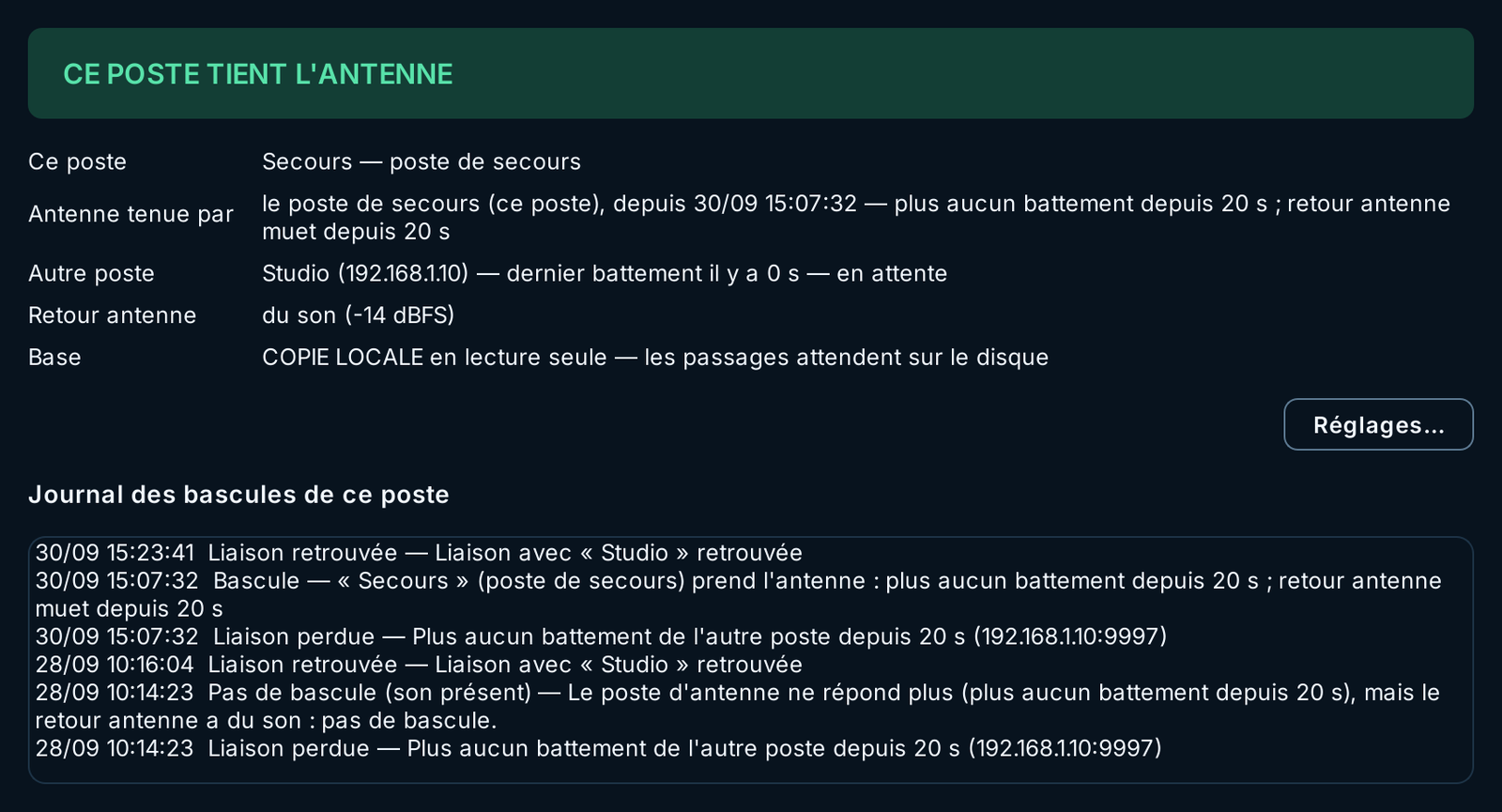
The failover screen of each workstation, in the On-Air menu, shows who holds the air, since when and why, what the other workstation is doing and what the off-air feed hears.
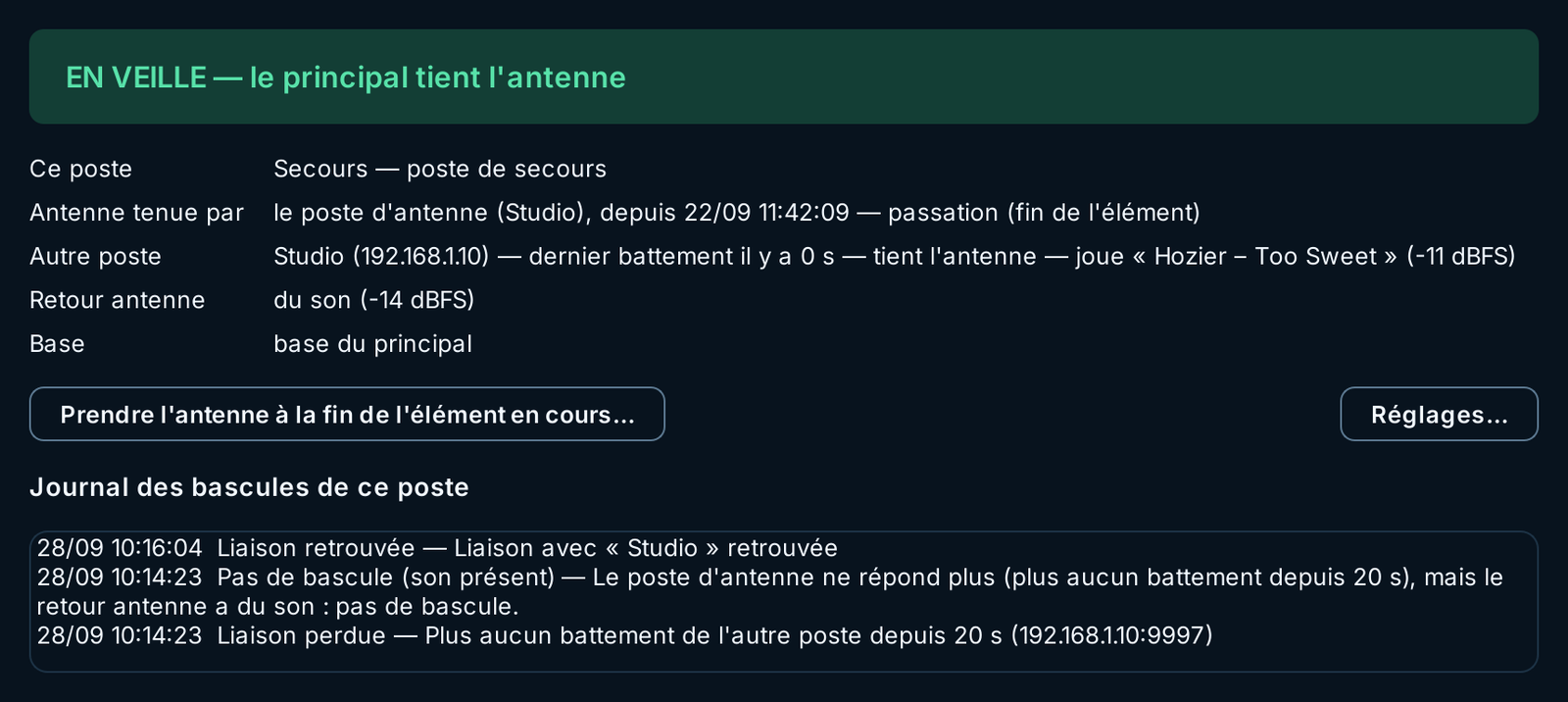
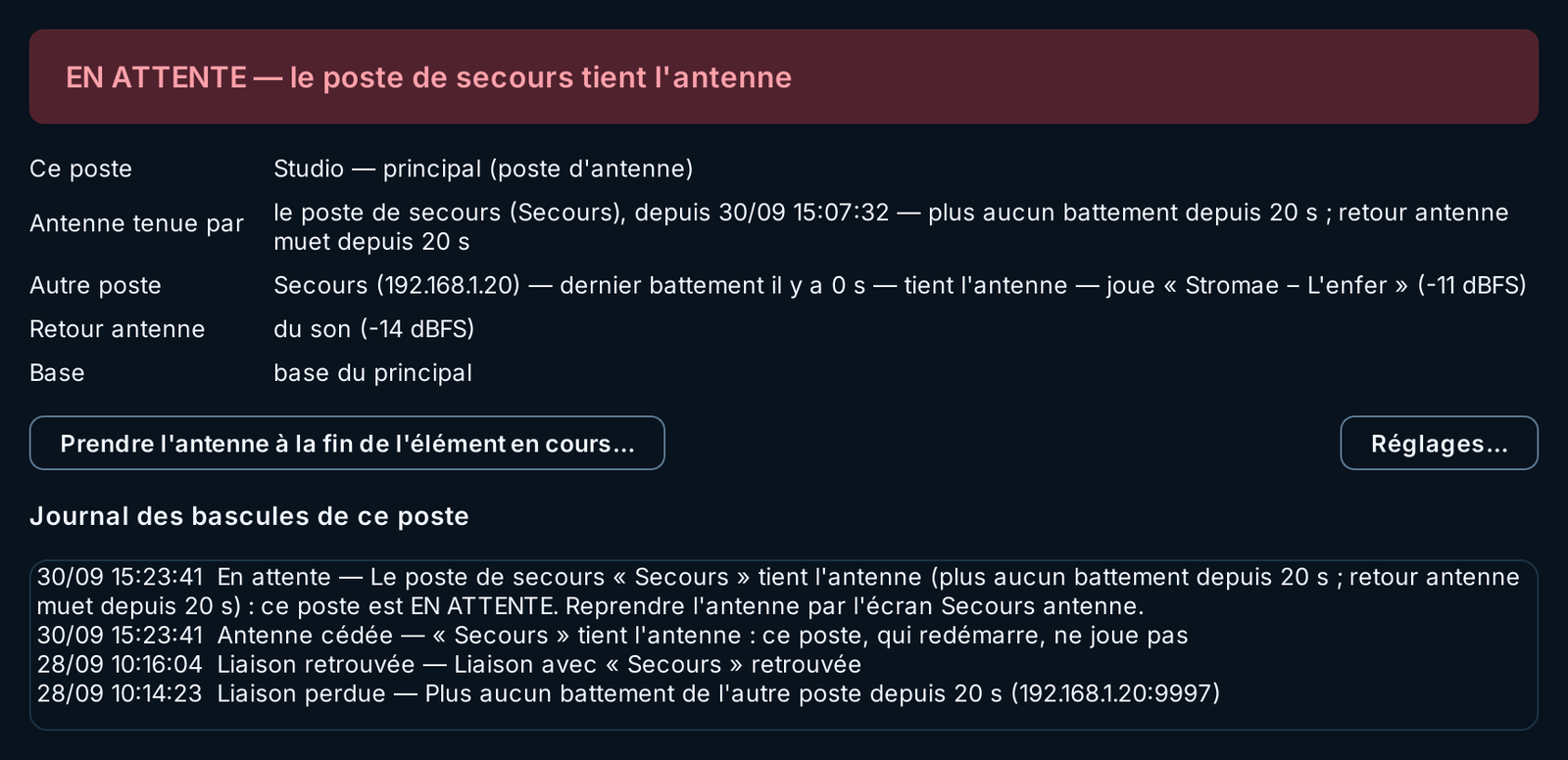
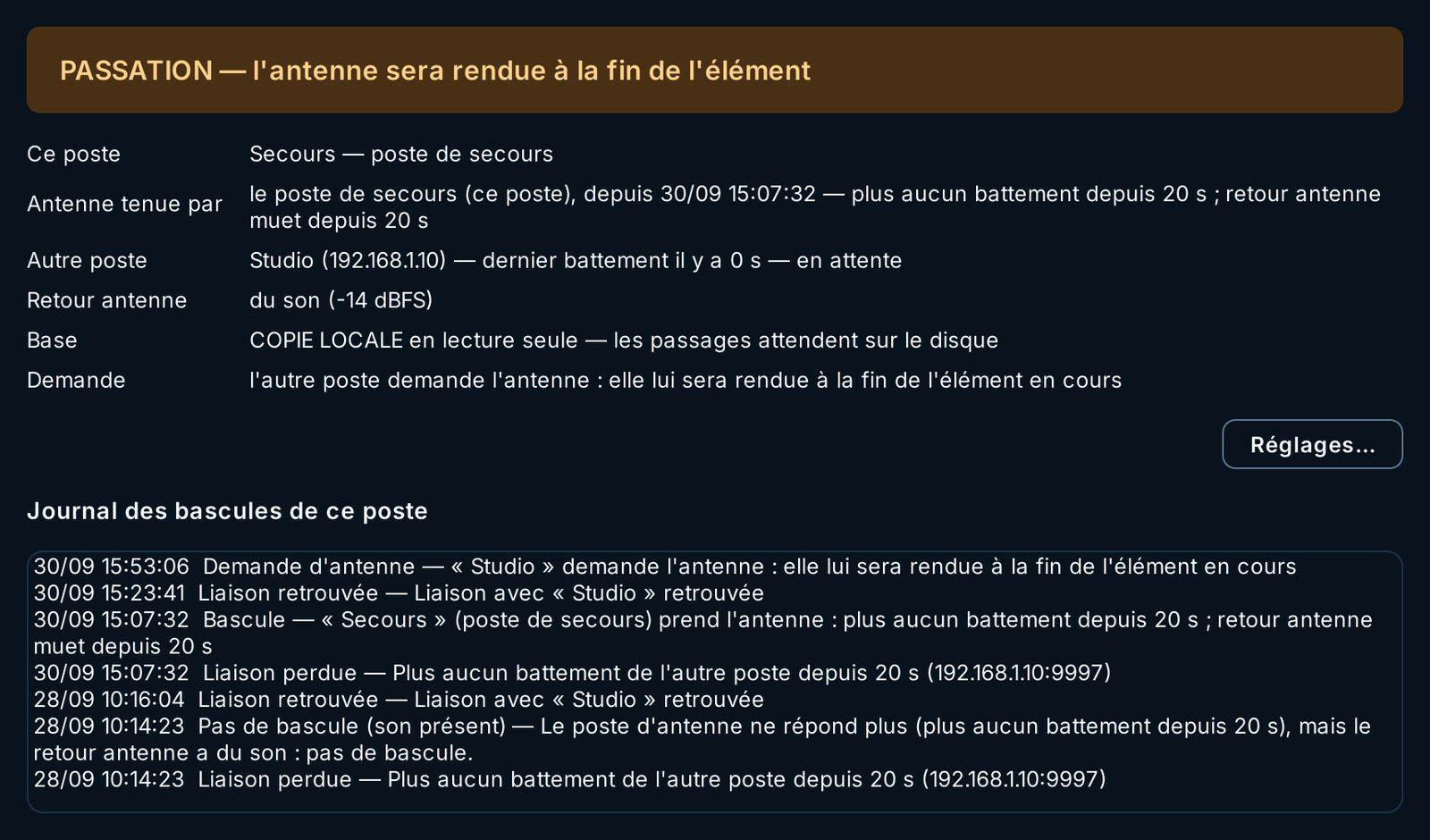
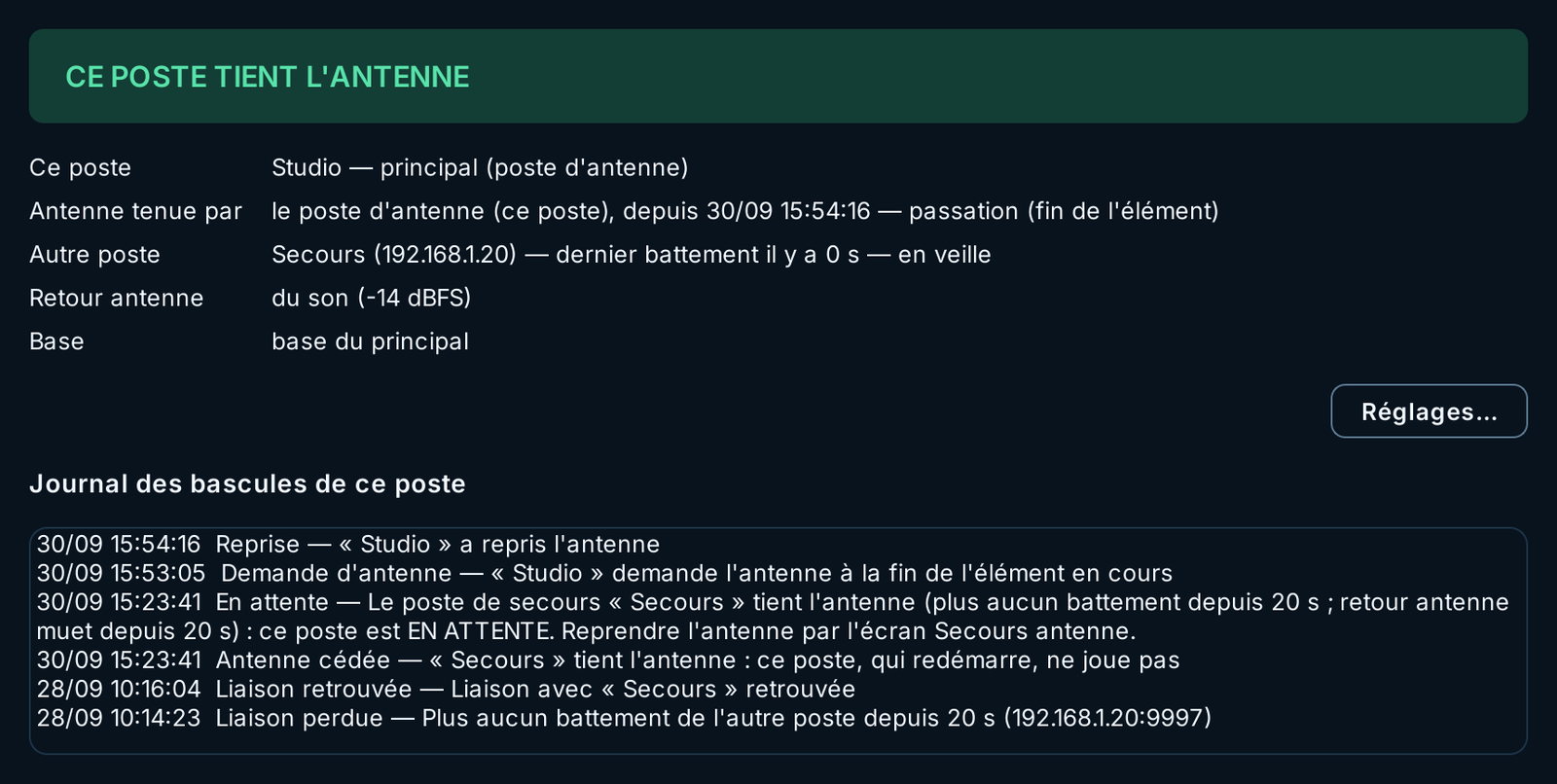
Screenshots of the actual Phoenix screen (French interface), on a demonstration scenario: two workstations, “Studio” and “Secours”, for the Chlonéo station.
The two workstations watch each other; the air is monitored along a path that does not go through the network.
The two workstations exchange a signed heartbeat every second over the studio network. The backup PC also listens to the air: a sound card input fed by the desk's programme output, or the station's stream.
No heartbeat for 20 seconds and a silent off-air feed for 10 seconds: the on-air PC is down. A workstation that reports itself frozen and silent counts too. Both delays can be adjusted.
The backup PC takes over and writes it to its disk before playing. It resumes the playlist on time (GAP 0), on the studio database if it answers, otherwise on its local copy, starts the stream and raises the alert.
The on-air PC, once back, waits. One confirmed action in the studio, and the backup hands the air back at the end of the current item; the Studio resumes on time.
A false switch would be worse than an outage: two workstations on air, or one cutting off the other. The rules are designed to prevent it.
A broken network looks like an outage. As long as the off-air feed hears sound, the backup does not play: it raises an alert. Without an off-air feed set up, it only switches if the on-air PC reports itself frozen and silent.
Every takeover carries a number that only ever increases, written to disk before playing. A workstation that hears a more recent number than its own goes silent at once.
At startup, Phoenix listens for the other workstation for six seconds before playing. After a power cut, the backup PC gives the on-air PC 90 seconds to restart before any switch.
Requesting the air must be confirmed; forcing it, only possible when the other workstation no longer answers, must be confirmed twice. None of these buttons has a keyboard shortcut.
Messages between the two workstations are signed. A badly signed message, or one coming from an address other than the configured one, is rejected and reported.
Switch, handover, link lost or restored, silent off-air feed: every event is time-stamped in the workstation log and in the Phoenix alert centre.
If the on-air PC shuts down, its database and disks go with it. The backup PC has kept what it needs to play what comes next.
The station database is copied continuously to the backup PC, read-only. If the studio database no longer answers, the backup plays on this copy.
If neither the studio database nor its copy answers, the backup resumes from the playlist it already holds in memory: about 26 hours loaded in advance.
What is played during the switch (playlist, royalty reports, proof of broadcast for commercials) waits on the backup PC's disk, then is replayed into the studio database at its real time.
If the media library sits on the on-air PC, it goes down with it. The backup PC copies in advance what the playlist will play over the next six hours.
The stream, the now-playing title sent to the website and the royalty reports follow the workstation that holds the air: the backup starts its encoder when it takes the air and stops it when it hands it back.
The Phoenix checker verifies, on each workstation, Windows automatic sign-in and the watchdog launched at startup, and reminds you of the BIOS setting that powers the PC back on after a power cut.
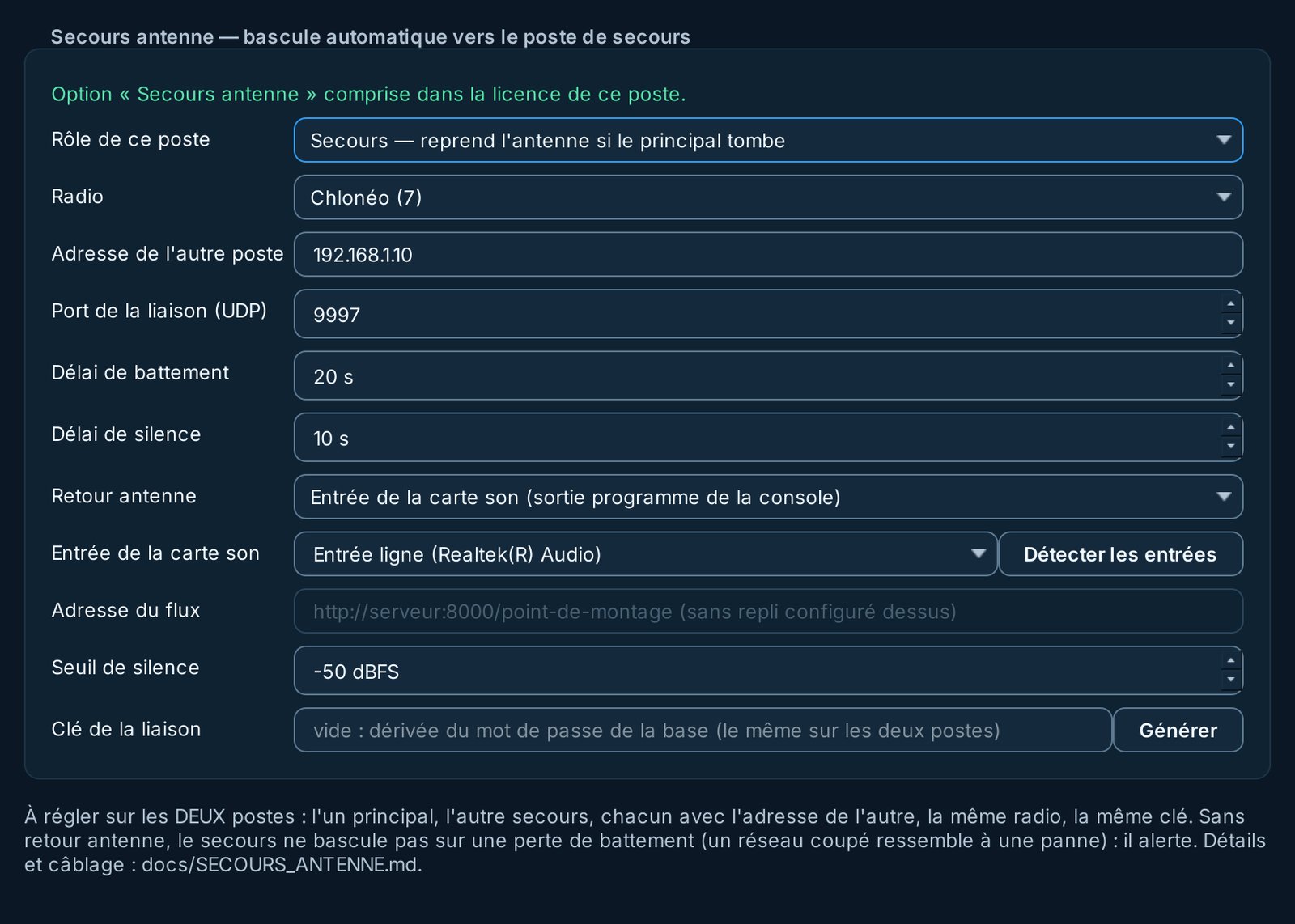
On-Air Failover is added to Phoenix Pro, per station. It requires a second Phoenix workstation, which becomes the backup PC.