New — the ad sales system of the Phoenix Pro · Onyx suite
Ad Sales & Traffic

TRAFIX
Advertising, from sale to air

TRAFIX keeps your advertisers and campaigns, places the spots in the ad breaks and sends them to air. Breaks are created in Onyx, Phoenix plays the spots, and proof of broadcast comes back to the sales team. Nothing is entered twice.

TRAFIX
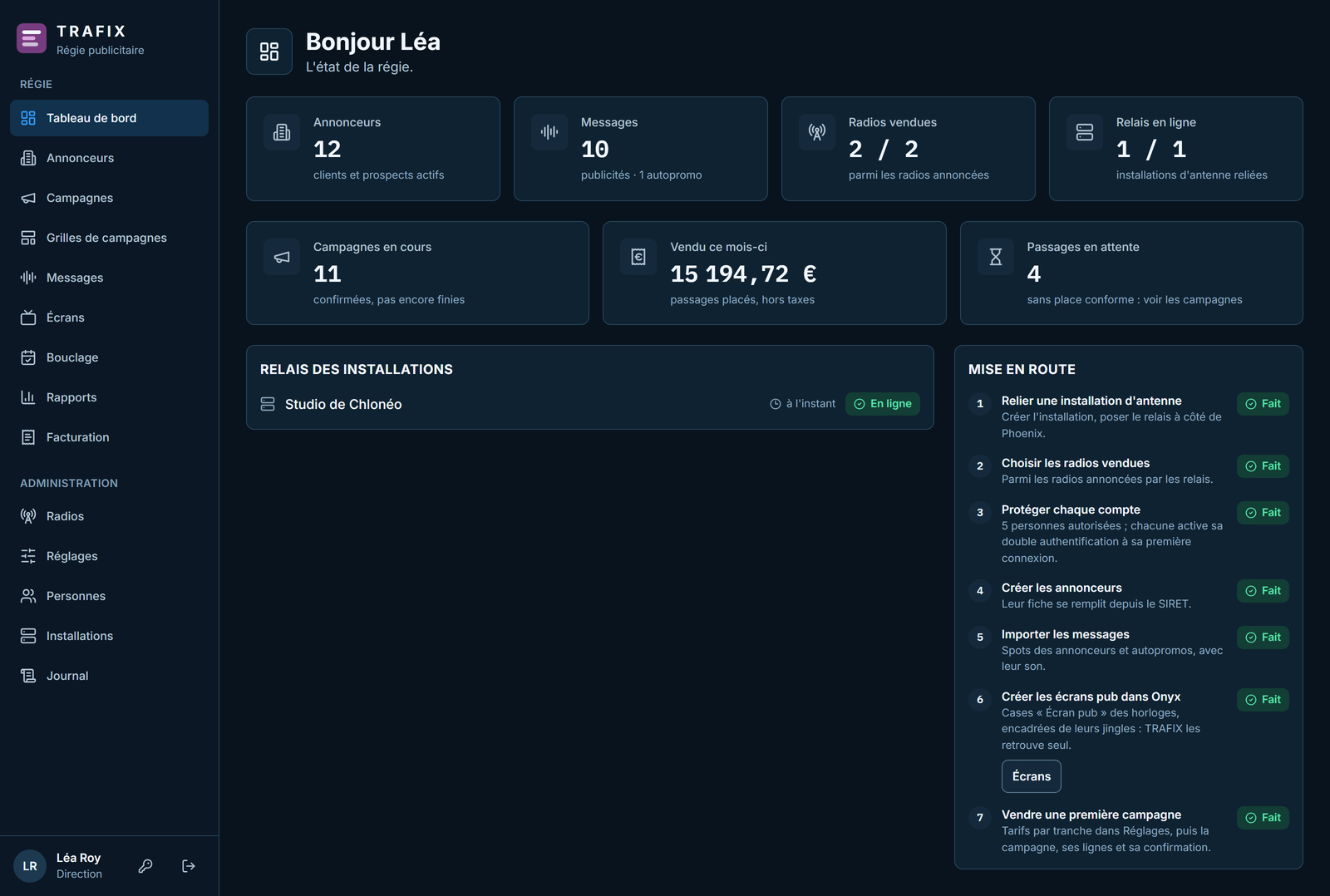
TRAFIX - Sales dashboard

The whole advertising chain

From the advertiser record to proof of broadcast, every step is done in TRAFIX or reaches Onyx and Phoenix on its own.

🏢

Advertisers and agencies

Records filled in from the French company number (SIRET) using public government data. Contacts, parent company, subsidiaries and branches, agency mandates (Sapin law), products.

🎙️

Audio and video spots

Every sound is measured on upload: exact duration, loudness in LUFS, true peak. MP4 and MOV video spots are accepted, with a picture preview.

⚖️

Sectors and legal rules

Competitors kept apart by sector, Évin law time windows for alcohol, mandatory mentions checked, banned sectors refused.

📺

Breaks set in Onyx

Ad breaks are created in the Onyx clocks, at :15 and :45 by default. TRAFIX finds them on its own: nothing is declared twice.

🧾

Campaigns and packages

Per-spot sales from the rate card, flat fees and packages, reusable campaign templates, barter, free spots, valued self-promotion.

🎯

Automatic placement

Room in the break, competition, legal hours, first or last in break: TRAFIX places every spot and fills breaks that are already open first.

🔒

Locked the day before

Each day is locked automatically on the last working day before it, weekends and public holidays included. A last-minute sale is re-locked from Onyx.

⏱️

Every hour within ±5 s

A break lasts what has been sold. Onyx rebalances the hour by swapping a song from the same subcategory, and never touches new releases.

✅

Proof of broadcast

Phoenix plays every spot and reports back the actual time, the duration played and how it ended: normally, cut or skipped.

Your week of breaks at a glance

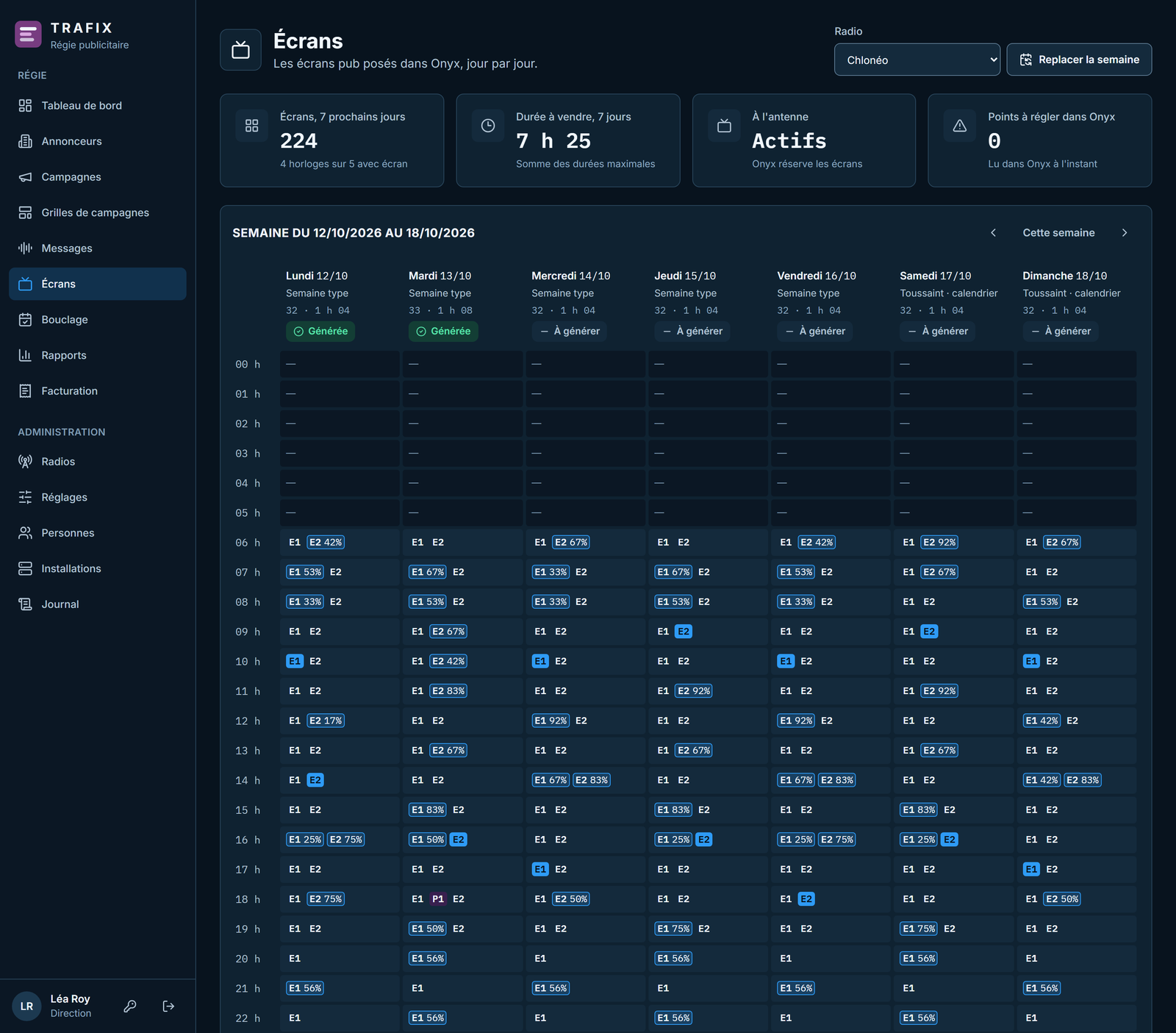
TRAFIX reads each station's programming in Onyx: clocks, weekly templates, calendar. It shows every break, its length, its type and what is already sold.

  • Regular breaks from the clocks and one-off breaks on a given day
  • Share sold in each break, hour by hour
  • Local, national or mixed breaks
  • Opening and closing jingles around each break checked
  • Anything to fix in Onyx is reported in plain words
  • Breaks can be sold in advance, even before the day is generated
The week's ad breaks in TRAFIX
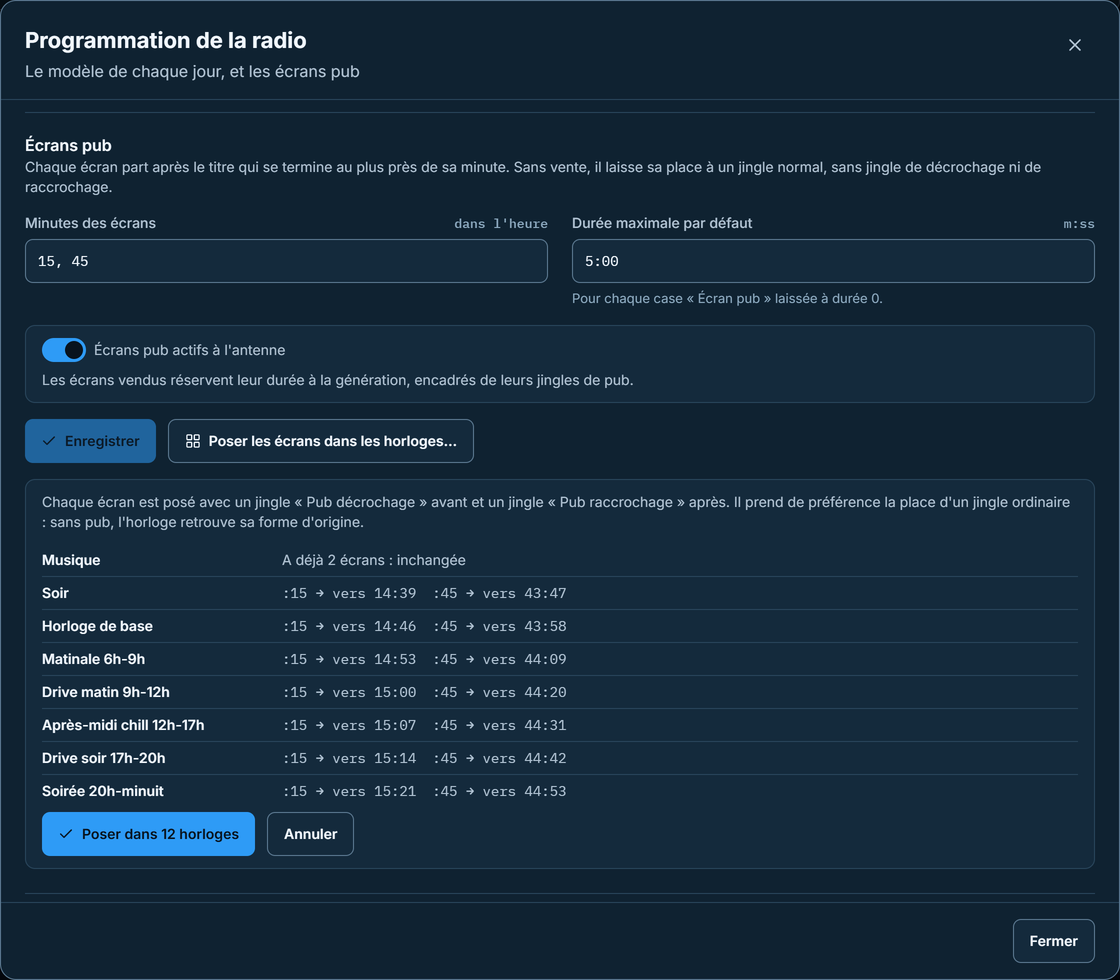
Ad break settings in Onyx

Breaks set in one click

In Onyx, the station sets the break minutes and their maximum length once. One click places every break and its two jingles in all the clocks, after a preview.

  • Two breaks an hour by default, at :15 and :45, 5 min at most
  • Floating break: it starts after the song that ends closest to the planned minute
  • No song is cut or stretched to fit the break
  • With nothing sold, a regular jingle takes the break's place
  • A clock can keep its exception: no ads at night, one more break in the morning
  • “Lock day(s)” button to lock earlier or after a last-minute sale
Discover Onyx

You sell, TRAFIX places

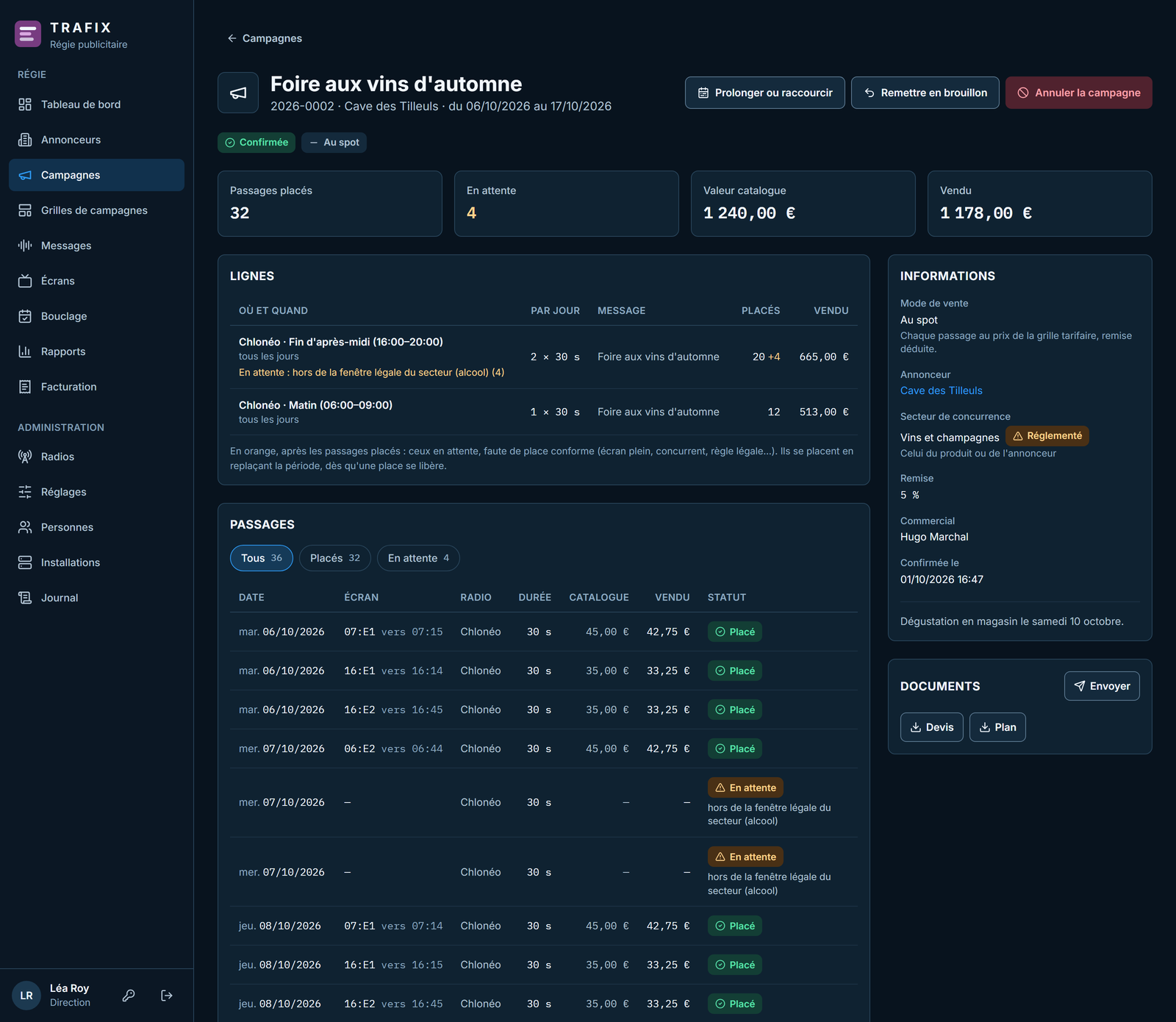
The salesperson enters the campaign line by line. Before it is confirmed, TRAFIX shows the result: spots placed, spots waiting and why, value at rate card.

  • Rate card by daypart, with length factors and surcharges
  • Discounts, flat fees split to the cent, barter valued at rate card
  • Specific breaks, a daypart or the whole day, first or last in break
  • Two competitors never in the same break
  • An alcohol spot outside permitted hours waits, with its reason
  • Spots spread across the day, never at the same time as the day before
A campaign and its placed spots in TRAFIX
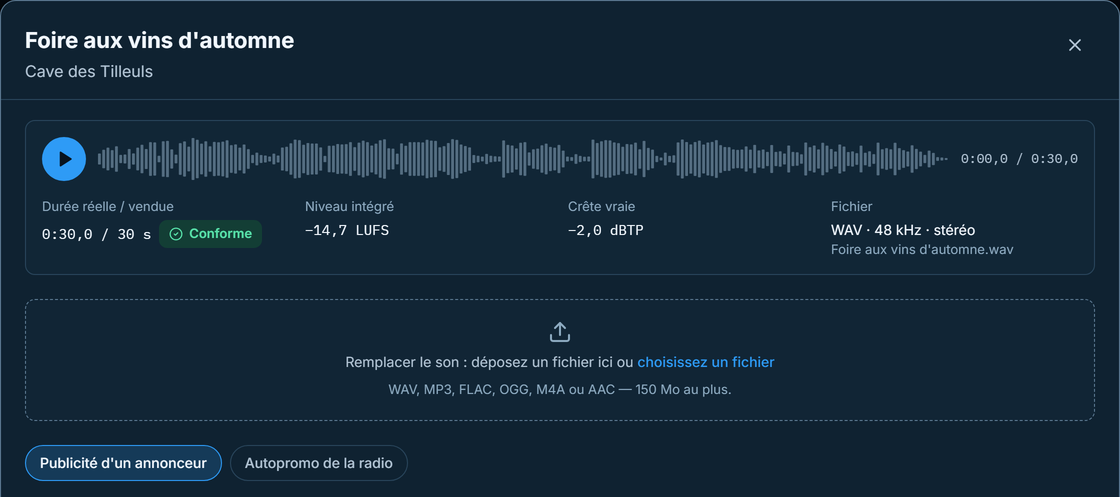
Sound analysis of a spot in TRAFIX

Every spot checked before air

The sound is analysed as soon as it arrives. TRAFIX flags a spot longer than the length sold, a peak that is too high or a missing legal mention.

  • Actual length compared with the length sold, to within one second
  • Integrated loudness in LUFS and true peak in dBTP
  • WAV, MP3, FLAC, OGG, M4A and AAC; MP4, MOV and M4V video
  • Required mentions according to the sector of the spot, product or advertiser
  • Two spots by the same voice never follow each other in a break
  • Each spot has its own validity period

From lock to proof of broadcast

The on-air chain never depends on the Internet: a relay installed next to Phoenix receives the locked days and their sounds in advance.

🔒

Lock

The day before, TRAFIX freezes each break: its spots, their order and their sound. A sale that comes in later is re-locked.

📦

Delivery to the relay

The relay stores the day and downloads the sounds, checking their fingerprint. A day is only ready once all its sounds are there.

⏱️

Rebalanced by Onyx

Onyx places the spots under each break and brings the hour back within ±5 s. If Onyx is closed, Phoenix does it.

📚

A library item

Each spot becomes a Phoenix library item, under Commercial, in the advertiser's name: preview, mix points and sound processing like any other item.

🎬

Video spots

A video spot goes to vMix like a music clip. An audio-only spot shows the vMix “advertising” screen.

✅

Proof of broadcast

Actual start time, duration played, ended normally, cut or skipped: the sales team knows what went out, spot by spot.

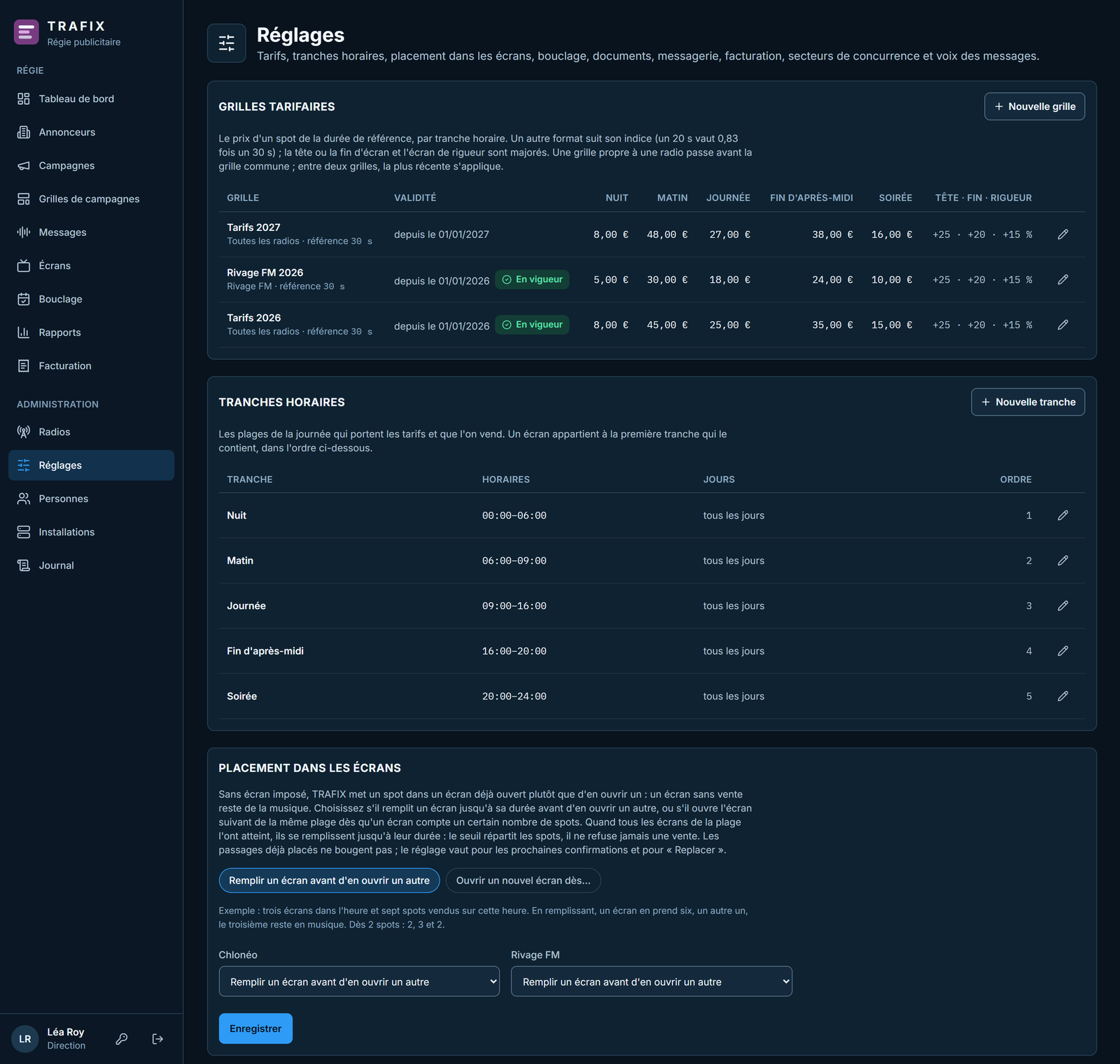
Your rates, your dayparts, your sectors

Management sets up the sales house in one place. Salespeople sell within these rules and cannot get around them.

  • One shared rate card, or one per station
  • Editable dayparts: night, morning, daytime, evening…
  • 43 sectors to start with, competitor separation set in minutes
  • Lockable campaign templates: the salesperson only picks the dates and the advertiser
  • Time of the automatic lock for the sales house, or for one station
  • Public holidays, including those of Alsace-Moselle, bridge days and working Saturdays
Rate cards, dayparts and break placement in TRAFIX
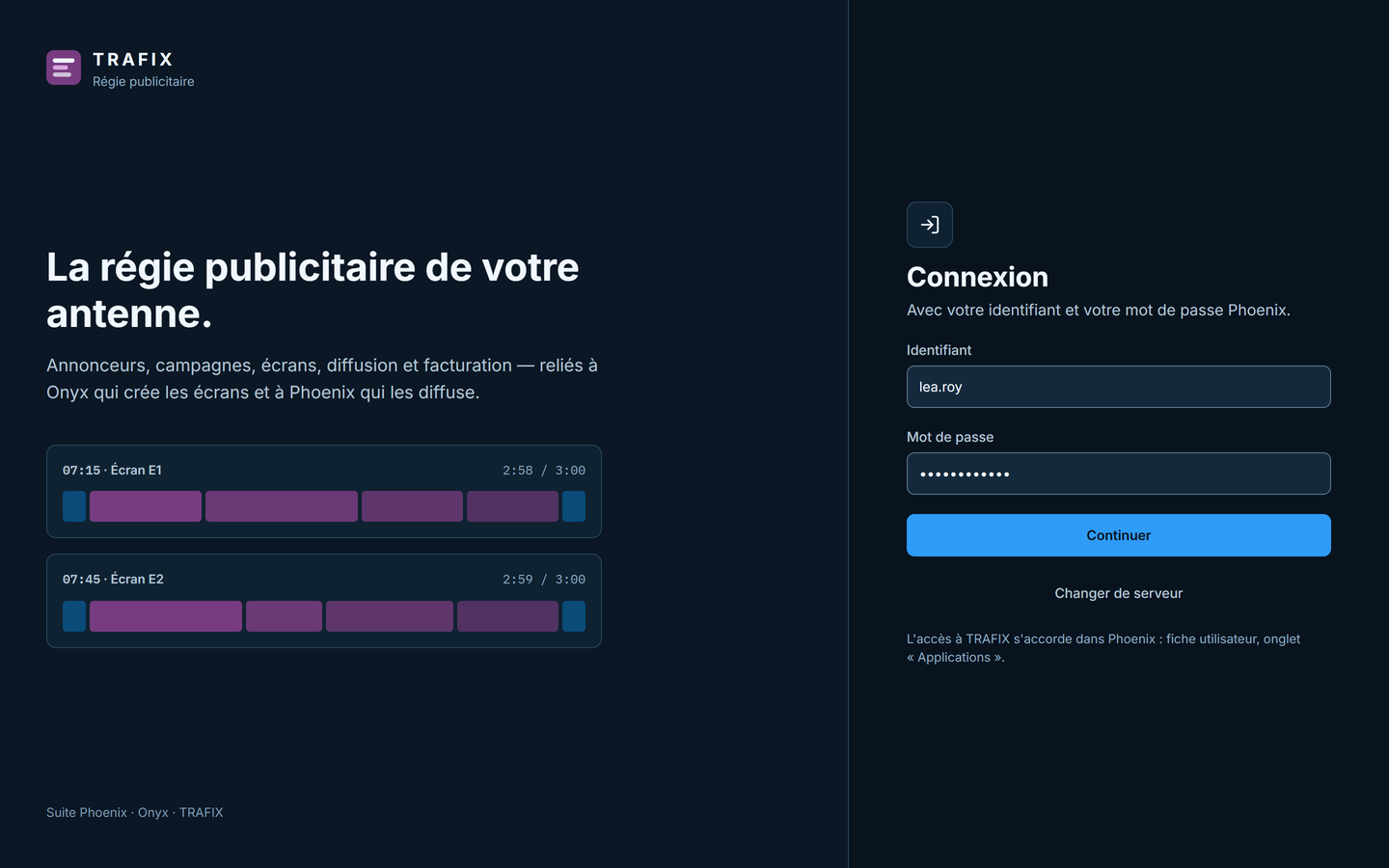
TRAFIX.exe sign-in screen

One server for the sales house, one relay per station

Each sales house has its own TRAFIX server. Each on-air installation has its own relay, which talks to that server without ever making broadcasting depend on the Internet.

  • Server hosted online, in France or Switzerland, or on the Phoenix computer for a small station
  • TRAFIX.exe Windows application at the office
  • Browser access for salespeople on the move, on a computer or a phone
  • Same username and password as Phoenix, two-factor authentication required
  • Access granted in Phoenix user management
  • One sales house for several stations, on one or more installations

Two editions, depending on the size of your sales house

Pricing is quoted on request, based on the number of stations and on-air installations.

1 station

TRAFIX Essentiel

  • One station
  • Three users
  • Advertisers, spots, campaigns and placement
  • Automatic lock and proof of broadcast
  • Windows application and browser access
Several stations

TRAFIX Régie

  • Several stations, on one or more installations
  • Combined sales across stations
  • Unlimited users
  • Advertiser portal and invoicing as soon as they are released
  • Everything in the Essentiel edition

Options: setup by Chloneo, server hosting managed by Chloneo.

The next steps

TRAFIX already covers the whole on-air chain. What comes next is in preparation.

🧾

Invoicing Coming

Invoices, credit notes, reminders and payments, accounting export, e-invoicing through an approved platform.

👤

Advertiser portal Coming

Advertisers follow their campaigns and approve their spots online. Spot production, from script to edit, is tracked in TRAFIX.

📥

Incoming campaigns Coming

Import of campaigns sent by regional sales houses and agencies.

Technical specifications

One server for the sales house, one relay on each on-air installation, and the team's computers.

Sales house server Linux, Docker containers, PostgreSQL 18, automatic HTTPS
Hosting Virtual private server in France or Switzerland, or the Phoenix computer for a small station; moving to another host means restoring a backup
On-air relay Windows, on each on-air installation; starts with the computer
Workstations TRAFIX.exe (Windows 10/11 64-bit) or a recent browser, on a computer or a phone
Sign-in Phoenix username and password, then a 6-digit code from an authenticator app
Audio and video WAV, MP3, FLAC, OGG, M4A, AAC; MP4, MOV, M4V; 150 MB per file
Backups Database and sounds backed up every night, 30 days of copies
Compatibility Phoenix Pro and Onyx V5, versions with ad breaks

Connect your ad sales to the air

TRAFIX is installed alongside Phoenix Pro and Onyx. Ask for a demo or a quote for your sales house.

Request a Quote Discover Phoenix Pro